
Email Aqua Mail - Fast, Secure
Aqua Mail IncBusiness
4.47.22K Reviews
- Version
- 2.6.1
- Installs
- 5.00M
- Age Rating
- Everyone
Screenshots
Our Review of Email Aqua Mail - Fast, Secure
 Analysis by Appyee
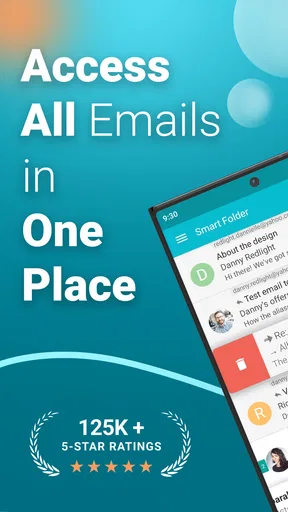
When I want one place to keep several inboxes in view, I care less about flashy features than about whether the app gets out of the way. Email Aqua Mail - Fast, Secure is a business-focused email client from Aqua Mail Inc, and its appeal is clear: it brings accounts from different providers into a single mobile workspace. In my experience, it is most rewarding when you want control over how email looks and behaves, rather than the simplest possible inbox.
What setup and speed feel like
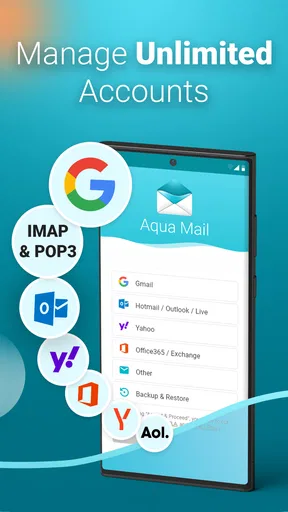
The first practical question is whether adding an account becomes a chore. Aqua Mail is designed for services such as Gmail, Yahoo, Outlook, Hotmail, GMX, AOL, Office365, and mailboxes that use IMAP or POP3. That breadth is useful if, like me, you have a personal address, a work account, and an older mailbox that you still need to check. Setup can still depend on the provider’s sign-in steps and account settings, but having the accounts together avoids bouncing between separate apps once they are connected.
For everyday speed, I would think of this as a focused email tool, not a promise that every connection will be instant. Loading depends on the network and the mail service as well as the app. When I’m checking a familiar inbox, the main benefit is less about a dramatic speed advantage and more about reaching the right account without opening a different client. If a message seems slow to appear, checking the connection and refreshing the relevant mailbox is a more sensible first move than assuming the whole app has stalled.
The app is free to install, and its Everyone content rating makes it suitable for a general audience. It has a 4.4 average from around 193,000 ratings, with more than five million installs, so it has attracted a substantial audience without that alone guaranteeing it will suit every workflow. Optional in-app purchases range from $1.99 to $199.99 per item, so I’d check the purchase screen carefully before choosing anything; you can start by seeing whether the free experience covers your needs.
Living with several inboxes
The interface is clean and intuitive. If you’re anything like me and appreciate a clutter-free workspace, you’ll feel right at home. The app organizes your emails in a way that’s easy to navigate, with a sidebar for quick access to different folders and accounts.
Features That Stand Out
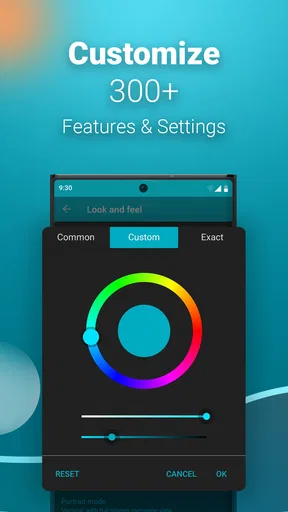
What really sets Aqua Mail apart is its flexibility and customization options. You can tweak almost everything to fit your workflow, from the way notifications are handled to how emails are displayed. I spent a good chunk of time just playing around with the settings to tailor the app to my liking.
The app also integrates smoothly with third-party apps like Tasker and Light Flow, which means you can automate tasks and manage notifications in a way that suits you. Automation lovers, rejoice!
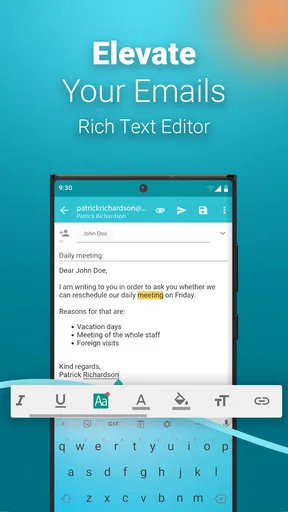
One of my favorite features is the rich text editor, which allows you to format your emails with ease. Whether you’re adding bullet points, changing fonts, or inserting images, the editor makes it simple to craft professional-looking emails.
Useful habits for busy mail days
With several accounts connected, I find it helps to give each one a clear purpose before adjusting any settings: for example, keep a work mailbox for conversations that need careful replies and a personal one for quick checks. That separation makes the account list more useful and reduces the chance of replying from the wrong address. Before sending a message, I make a quick habit of checking the sender account and recipient line, especially when I’ve just switched folders.
The rich text editor is handy when a message needs structure, but I would not format every short reply. On a phone, a clean subject and a few concise paragraphs are often easier to read than elaborate styling. For a longer update, bullets can make action items easier to scan; for a quick confirmation, plain text keeps the exchange simple. I treat formatting as a tool for clarity, not a requirement for every email.
Notifications are another place where a little restraint can make the app feel calmer. If several inboxes are active, deciding which accounts deserve immediate alerts can help prevent routine messages from interrupting focused work. The integration with Tasker and Light Flow may appeal to people who already use those tools, but it is not essential to getting email done. If you do not enjoy tuning settings, you can leave automation aside and use the client in a more straightforward way.
Security and Privacy
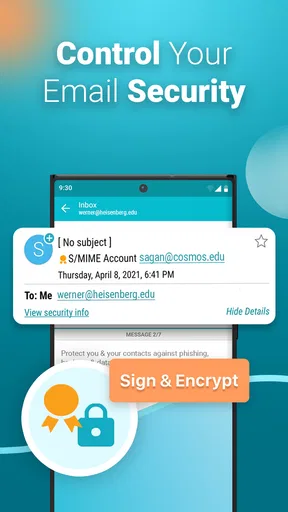
In today’s world, security is a top priority, and Aqua Mail doesn’t disappoint. The app offers end-to-end encryption using industry-standard protocols, ensuring that your emails remain private and secure. I felt quite comfortable knowing that my data was in good hands.
Additionally, Aqua Mail supports OAuth2 for Gmail and Hotmail, which means you don’t have to deal with app-specific passwords. This not only enhances security but also simplifies the login process.
As with any email client, I would distinguish account sign-in from the privacy of a message across its full journey. OAuth2 is useful because it offers a modern authorization route for supported services, but it does not change the fact that email privacy also depends on the provider and the recipient’s system. For sensitive work, I would follow the security practices required by the organization rather than treating any client as a substitute for them.
Heavy-use moments and reliability
Let’s talk performance. The app is lightning fast, living up to its name. Emails load quickly, and the app runs smoothly without any noticeable lags. Even with multiple accounts active, Aqua Mail handles everything effortlessly.
I also appreciated the offline capabilities. You can read and compose emails even when you're not connected to the internet, which is perfect for those long flights or when you’re out and about with spotty service.
Offline work is especially practical when I’m preparing a reply on a train or in a place with unreliable reception: I can make progress without waiting for a stable connection. I would still treat an unsent message as pending until the device is back online and the send has completed. Before closing the app after drafting something important, I check that the message is saved or sent as intended rather than assuming a weak connection has delivered it.
For a busy day, the difference between an orderly client and a stressful one often comes down to small habits. I check the right account before composing, keep notifications limited to the mailboxes that need quick attention, and return to the folder list when I’m done with a message. That routine is more useful than trying to make every email arrive at once, particularly when multiple providers are involved.
Aqua Mail has been around since its release on December 26, 2011, and the current version is 1.57.1. The app requires Android 7.0 or later, which is worth checking before installing it on an older device. On a supported phone, I would still consider available storage, battery condition, and the number of active accounts when judging day-to-day responsiveness; those factors can affect any email client. I would not expect an older or heavily loaded device to feel identical to a newer one.
Where it fits among email apps
The usual alternative is to use the official app for each provider, or to stick with one provider’s inbox when most of your mail already lives there. Those approaches can feel simpler if you only use one account or rely on provider-specific tools. Aqua Mail makes more sense when bringing different services into one place is the priority and you value controls over notifications and display. It is not automatically better for everyone: if you prefer a minimal interface with very little setup, the default client already on your phone may be less demanding.
It can also suit someone who wants a dedicated work-and-personal split without carrying separate devices. A freelancer, for instance, might check a client mailbox and a personal address in the same session, then use formatting for a proposal or a clear list of next steps. The trade-off is that a unified view asks you to stay attentive to which account is active. I would not recommend merging everything into one mental stream if you need strict separation or if your workplace requires a specific approved email setup.
Who should choose it—and who may not
I’d recommend trying Aqua Mail if you regularly switch among providers, want to shape the way your inbox behaves, or use automation tools to manage alerts. Its support for both common hosted services and IMAP or POP3 accounts gives it room to fit mixed setups. It is also a practical option for people who write more than brief replies on a phone and appreciate having formatting available when a message needs it.
I would skip it if one simple provider app already handles your needs, if you do not want to spend time adjusting preferences, or if you need a particular company-managed client. A large range of settings can be a benefit, but it can also mean more decisions than some people want from email. The free starting point lowers the barrier to trying it, while the range of optional purchases means I would inspect what is offered before paying and avoid assuming every extra is necessary.
Performance and Usability
Let’s talk performance. The app is lightning fast, living up to its name. Emails load quickly, and the app runs smoothly without any noticeable lags. Even with multiple accounts active, Aqua Mail handles everything effortlessly.
I also appreciated the offline capabilities. You can read and compose emails even when you're not connected to the internet, which is perfect for those long flights or when you’re out and about with spotty service.
Final Thoughts
Wrapping it all up, Email Aqua Mail - Fast, Secure is a powerhouse of an email app. It’s perfect for anyone who needs a reliable, customizable, and secure email client. Whether you're managing personal accounts or handling business correspondence, this app has got you covered.
So, if you’re in the market for a new email app, I’d definitely recommend giving Aqua Mail a shot. It’s not just fast and secure; it’s a joy to use. Happy emailing!
Verdict
Strengths of Email Aqua Mail - Fast, Secure
- Supports multiple email accounts seamlessly.
- Highly customizable interface settings.
- Strong security features with encryption.
- Integrates well with cloud storage services.
- Offers a robust email filtering system.
Limitations of Email Aqua Mail - Fast, Secure
- Some advanced features require premium version.
- Occasional sync issues with certain providers.
- Interface can be overwhelming for new users.
- Ads in the free version can be intrusive.
- Limited support for non-standard email setups.
Similar Picks in This Category
View All
LinkedIn: Community & Network
LinkedIn3.8

Zoom Workplace
zoom.com4.1

Microsoft Teams
Microsoft Corporation4.6

Meta Business Suite
Meta Platforms, Inc.4.6

Webex Meetings
Cisco Systems, Inc.4.5

TeamViewer Remote Control
TeamViewer4.4
Frequently Asked Questions
What platforms does Aqua Mail support?
Aqua Mail is available for Android devices. It provides a seamless experience for managing multiple email accounts from various providers like Gmail, Yahoo, Hotmail, and more, all from one app. The app is designed for easy integration and compatibility with most email services, making it a versatile choice for Android users.
How secure is Aqua Mail for handling sensitive emails?
Aqua Mail places a strong emphasis on security and privacy. It supports industry-standard protocols such as SSL encryption to protect your emails during transmission. Additionally, the app does not store your passwords on its servers, ensuring that your sensitive information remains secure. Users can also customize security settings for added protection.
Can I use multiple email accounts with Aqua Mail?
Yes, Aqua Mail supports multiple email accounts, allowing you to manage them all from a single interface. It is compatible with major email providers and can handle IMAP, POP3, and SMTP protocols. This feature is particularly useful for users who need to access various personal and professional email accounts efficiently.
Does Aqua Mail offer any customization options?
Aqua Mail offers extensive customization options to tailor the app to your preferences. Users can customize the app's appearance, notification settings, and even set specific rules for sorting and filtering emails. This flexibility allows users to create an email management system that suits their individual needs and workflow.
Is Aqua Mail available for free, and are there premium features?
Aqua Mail is available as a free app with a variety of useful features. However, for users who want more advanced functionalities, there is a Pro version available for purchase. The Pro version includes features such as push mail for Exchange and Office 365, support for multiple identities, and an ad-free experience, enhancing the app’s overall utility.
